
The Tyranny of the Unread Badge
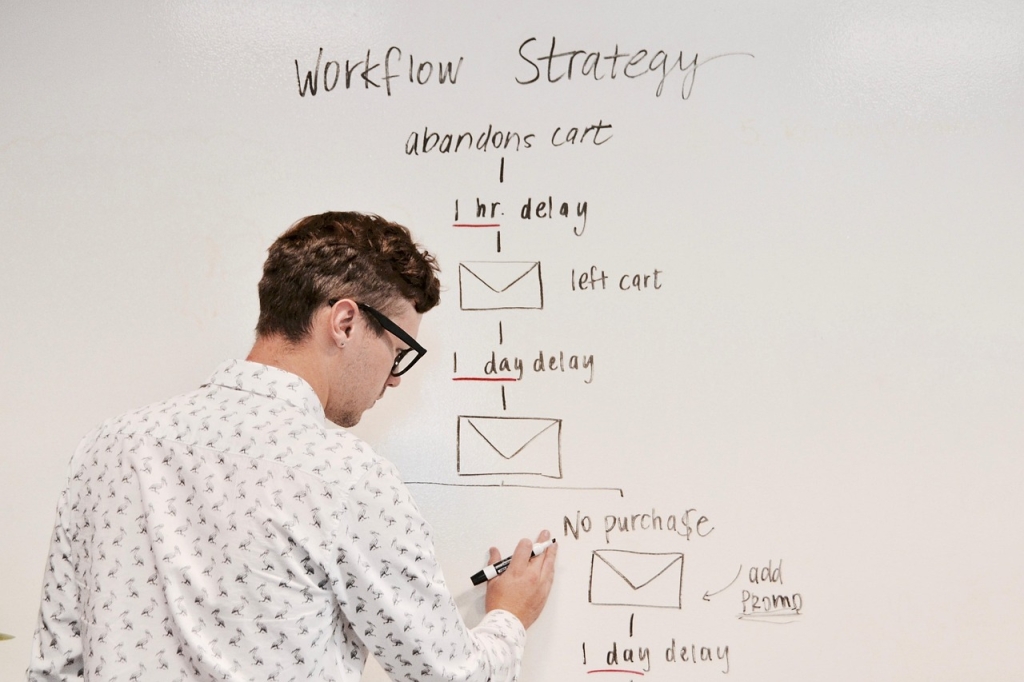
The Monday morning email avalanche used to bury me. Dozens, sometimes hundreds, of messages cascaded in, each a tiny demand on my time and attention. It was a battle I was losing daily. Then, I stopped fighting the flood and started building an ark powered by artificial intelligence. This is not about fancy software; it is about a fundamental shift in how you manage your most valuable asset: your focus.
Deconstructing the Modern Inbox Problem
The core issue is not just volume; it is the chaotic mix of priorities. A critical client update sits next to a newsletter, which is buried under a dozen internal CCs. This constant context-switching is a cognitive killer. The average office worker receives over 120 emails per day, spending an estimated 2.6 hours reading and answering them. That is more than 25% of the workday spent in a reactive state.
-
Information Overload: Too many messages make it impossible to identify what truly matters.
-
Decision Fatigue: Every email, no matter how small, requires a micro-decision: delete, archive, reply, or defer.

-
Reactive Workflow: The inbox becomes a to-do list created by other people, derailing your planned tasks.
Phase 1: Building Your AI Digital Chief of Staff
The goal is to touch each email only once. An AI-assisted triage system acts as your personal chief of staff, preparing a clean, prioritized brief for you. Instead of opening your inbox to chaos, you open it to a pre-sorted, summarized list of action items. This step alone can reduce the time spent sorting email by up to 90%.
Automated Labeling and Prioritization
Modern email clients have basic filtering, but dedicated AI plugins take it to the next level. These tools learn from your behavior, automatically applying labels like ‘Urgent,’ ‘Client-X,’ ‘Invoice,’ or ‘Read Later.’ The AI analyzes the sender, keywords, and your past interactions to make these decisions with increasing accuracy over time. The key is to define your categories first, then let the machine do the sorting.
AI-Generated Summaries for Rapid Triage
For long, winding email chains, AI summarization is a game-changer. Instead of spending ten minutes reading a 15-message thread, your AI assistant can provide a three-bullet-point summary at the top, highlighting key decisions and action items. This allows you to grasp the context instantly and decide on the next action without getting bogged down in irrelevant details.

Taking the next step becomes straightforward when you have the right support — Become an Ultimate Master of your life is worth exploring.
Choosing the Right Triage Tools
When selecting a tool, consider the options. Native features within platforms like Gmail and Outlook are a good starting point, but specialized third-party plugins offer more power. Look for the following features:
-
Adaptive Learning: The tool should learn from your corrections and improve its accuracy over time.
-
Privacy Policy: Ensure you understand how your email data is being handled and protected.
-
Deep Integration: The best tools feel like a natural part of your inbox, not a separate application you have to manage.
Phase 2: Accelerating Responses with AI Drafting
Once your inbox is organized, the next bottleneck is crafting responses. An AI email workflow transforms this process from a chore into a simple click. By using AI to generate draft replies, you maintain control and quality while eliminating the time spent typing repetitive information.
Creating Your Personal Voice Profile
This is not about robotic, impersonal messages. The most effective AI tools allow you to create a voice profile. By providing samples of your writing, you can train the AI to generate drafts that match your tone, phrasing, and level of formality. The result is an authentic message, created in a fraction of the time.
Beyond Templates: Context-Aware Generation
The cognitive load of composing even a simple email is deceptively high as you balance tone, clarity, and information. AI drafting removes 80% of that load. Unlike static templates, AI understands the context of the conversation. It can reference previous points, pull out the sender’s name, and draft a relevant reply that feels personal and specific, freeing up your mental bandwidth for more complex problem-solving.
Phase 3: Automating the Follow-Through
The work does not always end when you hit ‘send.’ Scheduling meetings and remembering to follow up are critical administrative tasks that often fall through the cracks. An intelligent AI email flow automates this layer, ensuring opportunities are never missed.
Effortless Scheduling
Turn scheduling pains into a simple instruction. AI assistants can parse natural language requests like, ‘Find a 30-minute slot for us next week.’ The tool then checks your calendar, proposes available times to the recipient, and handles the back-and-forth until a time is confirmed and added to everyone’s calendar.
Never Miss a Follow-Up
The best systems can also act as a safety net. An AI can detect when you have asked a question or are awaiting a specific response. If a reply does not arrive within a preset timeframe (e.g., three days), the tool can automatically bring that email back to the top of your inbox with a reminder to follow up.
Your Four-Week Implementation Plan
Adopting this workflow is a gradual process of building trust with your AI assistant. Use this plan to ease into it.
| Week | Focus | Goal |
|---|---|---|
| Week 1 | Observation and Setup | Connect your chosen AI tool. Define 5-7 key labels for your work (e.g., Urgent, Team, Project A, Invoices, Reading). Let the AI run in the background. |
| Week 2 | Triage Training | Actively correct the AI’s labeling mistakes. Begin relying on AI summaries to quickly process long email threads before reading the full text. |
| Week 3 | Drafting and Voice Tuning | Start using one-click draft replies for simple, common responses. Spend 30 minutes providing the tool with examples of your writing to tune your voice profile. |
| Week 4 | Full Automation | Enable intelligent scheduling and automated follow-up reminders. Trust the system to manage the administrative layer of your communication. |
Beyond Productivity: Reclaiming Your Focus
The ultimate goal of an AI-powered email workflow is not just achieving ‘inbox zero.’ It is about reclaiming the time and cognitive energy that email drains each day. By offloading the sorting, drafting, and chasing to an intelligent assistant, you free yourself to focus on the strategic, creative, and high-impact work that truly matters.








Leave A Comment