
Stop relying solely on third-party platforms. Learn how to broadcast, engage, and keep 100% of your ad revenue with your own website.
Live streaming is no longer just a trend; it’s an essential way to connect with audiences, broadcast events, and hold virtual conferences. But for too long, WordPress site owners have had to rely on external platforms like YouTube, Twitch, or Facebook Live to handle the heavy lifting.
While those platforms offer reach, they come at a significant cost: you lose control of the user experience, your audience is distracted by competitors’ videos in the sidebar, and worst of all, the platform takes a massive cut of your ad revenue.
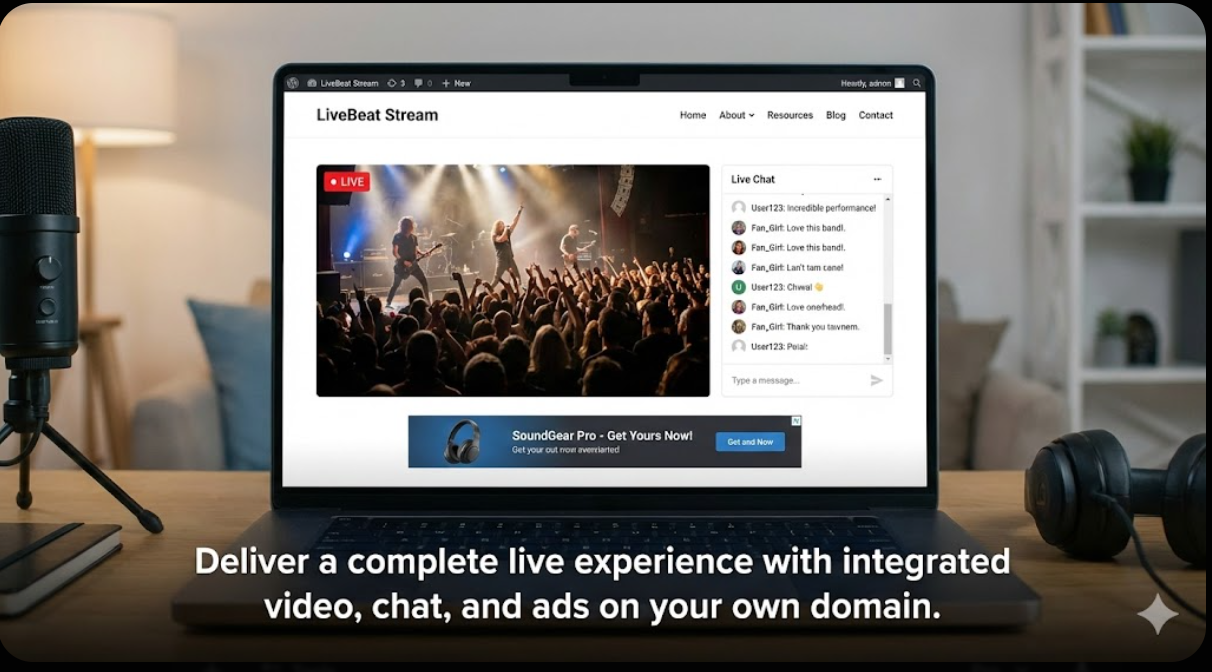
It’s time to bring your audience back home.
Today, we’re introducing the UCS Streamer plugin—a professional, all-in-one solution designed to turn your WordPress site into a broadcasting powerhouse.
Why Self-Host Your Live Streams?
When you embed a YouTube stream on your site, you aren’t really hosting it. You’re just providing a window to YouTube. When you use UCS Streamer, your site becomes the destination.
1. Professional HLS Playback Viewers expect TV-quality streaming without buffering. UCS Streamer utilizes HLS (HTTP Live Streaming) technology, the industry standard used by major broadcasters, ensuring adaptive playback that works smoothly across desktops and mobile devices.
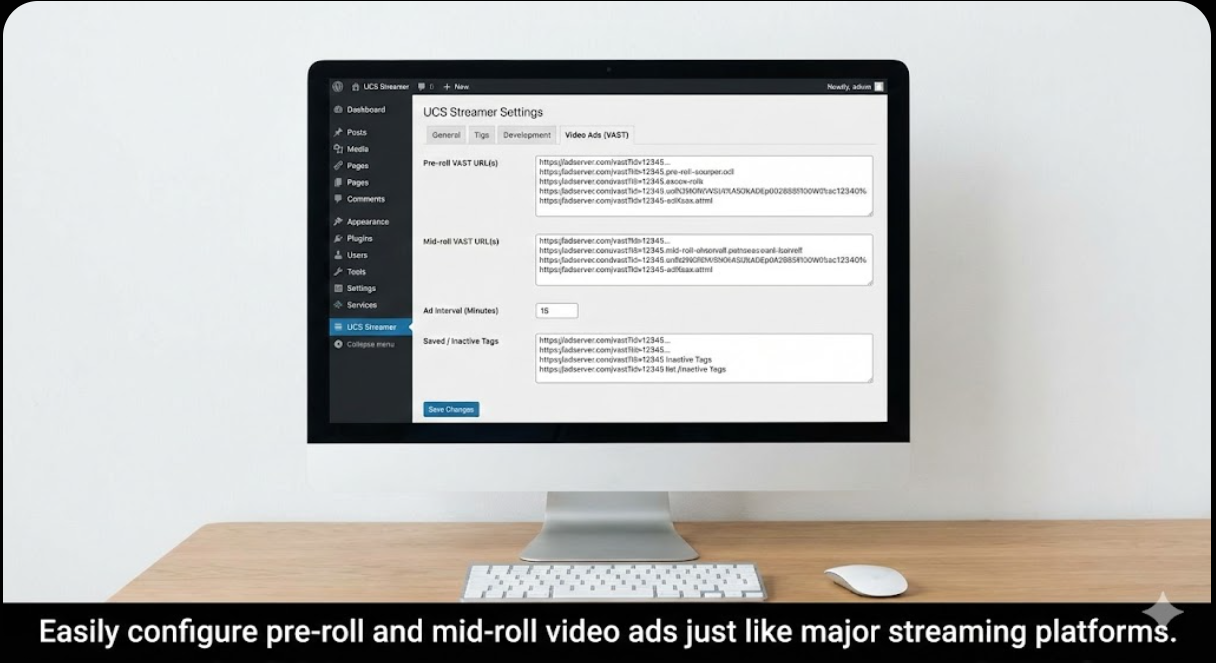
2. Turn Views into Revenue (That You Keep) This is the game-changer. Instead of hoping for YouTube monetization approval or accepting a 55/45 split, UCS Streamer lets you integrate your own video advertisements.
Using the VAST/IMA standard (used by Google and major ad networks), you can insert professional TV-style commercials as pre-rolls before the stream starts, or schedule mid-roll ad breaks during long broadcasts. Every dollar those ads generate goes straight to you.
3. Gate Your Premium Content Not every stream should be free. Are you hosting a paid workshop, a virtual ticketed concert, or premium church content?
UCS Streamer integrates directly with WooCommerce. You can set up a “hard paywall,” requiring viewers to purchase a product before they can watch, or offer a “timed free trial” (e.g., watch 60 seconds for free) to hook them before asking for payment.
4. Keep the Conversation on Your Site Sending users to a third-party platform to chat means they leave your ecosystem. UCS Streamer includes a built-in, real-time AJAX chat system right next to the player. Keep your community engaged on your URL, increasing dwell time and site interaction.
Data-Driven Broadcasting
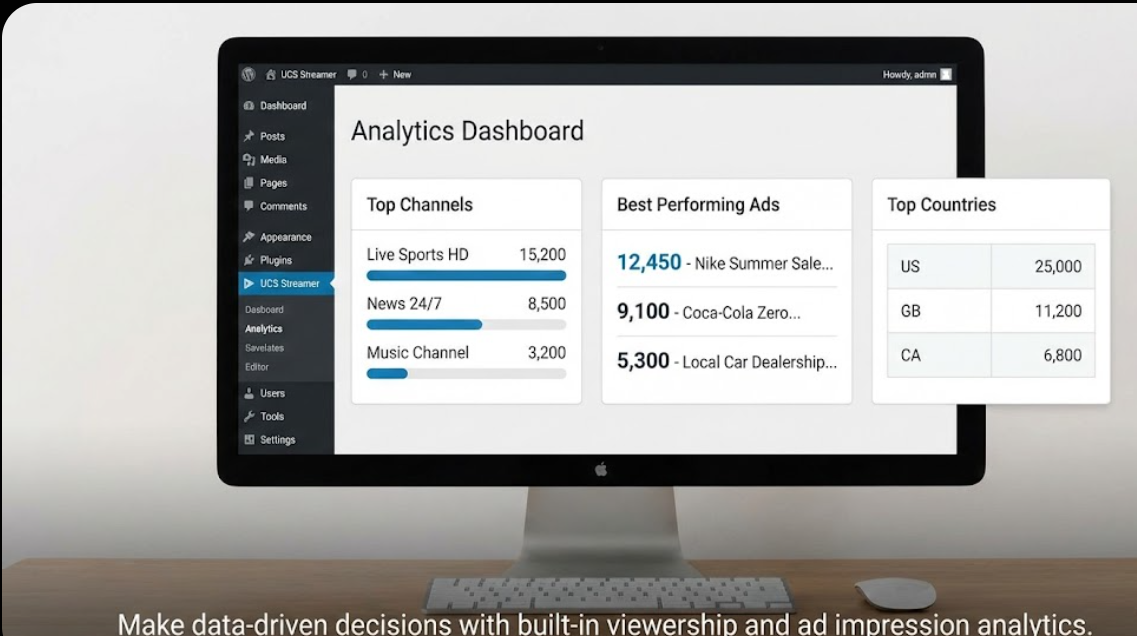
How do you know if your last stream was successful? You don’t need external analytics tools. The built-in Analytics Dashboard tells you exactly which channels are most popular, which countries your viewers are tuning in from, and exactly how many impressions your video ads are generating.
If you are serious about live streaming—whether you are a broadcaster, educator, house of worship, or event organizer—you need a platform you own. Stop renting space on someone else’s server and start building equity in your own website.
UCS Streamer gives you the professional tools to broadcast, monetize, and engage without compromise.
Download Ultimate Content Streamer here and test free ucs-streamer
In the evolving world of digital media, broadcasting live content usually requires expensive SaaS platforms or complex custom coding. Not anymore as you now can have the Ultimate Content Streamer (UCS), a powerful WordPress plugin designed to handle HLS (.m3u8) video streaming natively.
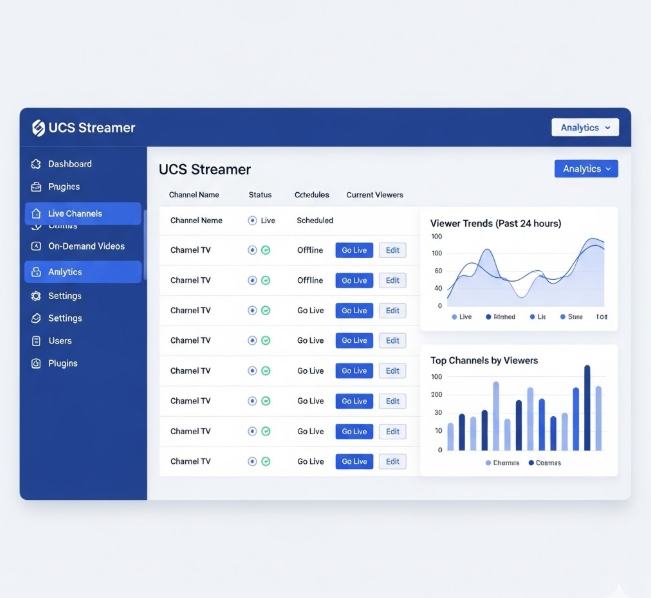
Whether you are a niche broadcaster, a news organization, or a curated content aggregator, UCS provides the tools to manage, display, and monetize thousands of live TV channels directly from your WordPress dashboard.
How It Works
UCS operates on a robust custom architecture designed for stability and scale. Here is the workflow:
1. Channel Management
UCS treats TV channels just like WordPress posts. You can add a channel by providing a title, a logo, and a stream URL (M3U8).
-
Taxonomies: Organize channels by Categories (e.g., Sports, News) and Countries.
-
Bulk Import: The plugin features a powerful importer that handles CSV files or public M3U playlists. It includes intelligent duplicate detection to prevent cluttering your database with the same channel twice.
2. The HLS Player
Instead of relying on heavy iframes or Flash (which is obsolete), UCS uses a modern, lightweight HLS.js player. This ensures your streams work smoothly on mobile devices, desktops, and smart TVs without buffering issues related to the player itself.
ucs-streamer Download Ultimate Content Streamer Free
3. Flexible Access Control (The “Gatekeeper”)
UCS includes a sophisticated access control engine found in UCS Streamers >Settings . You can choose how users access your content:
-
Open Access: Content is free for everyone.
-
Logged-In Required: Forces users to register/login to watch.
-
Paid Hard Gating: Integrates directly with WooCommerce. You can link a specific product (like a “Monthly Subscription”) to the player. If the user hasn’t bought it, they see a “Purchase Access” prompt instead of the video.
4. Monetization via Ads
For publishers who prefer ad revenue over subscriptions, UCS includes a dedicated Ad Creatives module.
-
Upload your own MP4 video ads.
-
Set a “Sitewide Pre-roll” and mid-roll in settings.
-
Every time a user clicks play, your ad runs before the live stream begins or in the middle after the time you have set.
- You can also run and rotate html or adsense ads below and or on top of the player
Why Is This Plugin Important?
1. Data Ownership
Unlike using YouTube Live or Twitch, UCS lets you host the player interface on your domain. You own the traffic, the user data, and the branding.
2. Scale
The plugin is optimized to handle large datasets. The importers allow you to populate a site with 2,000+ channels in minutes using standard M3U lists, instantly creating a “Cable TV” like directory on your site.
3. Hybrid Monetization
Most plugins offer either ads or paywalls. UCS offers both. You can run a free tier supported by pre-roll ads, or a premium tier protected by WooCommerce hard-gating, giving you maximum flexibility in your business model.
4. Ease of Use (Shortcodes & Blocks)
UCS is built for modern WordPress:
-
Gutenberg Ready: Use the custom “Channel Player” block to drop a specific channel into any post.
-
Directory Shortcode: Simply paste
Live Channels
















Frequently Asked Questions (FAQs)
Q: What kind of video links does UCS support? A: UCS is designed specifically for HLS (HTTP Live Streaming). Your links should end in .m3u8. This is the industry standard for modern live streaming.
Q: How do I bulk import channels? A: Go to UCS Streamer > Importers. You can upload a CSV file with headers (name, streamUrl, logoUrl, category, country) or connect to a public M3U playlist URL. The plugin will automatically parse and create channel posts for you.
Q: Does the paywall work with any WooCommerce product? A: Yes. In Settings > General, select “Paid Hard Gating” and enter the Product ID of any WooCommerce product (simple or subscription). The plugin checks if the current user has purchased that specific ID.
Q: Can I show different ads for different channels? A: Currently, the plugin supports a Sitewide Pre-roll, meaning the selected ad plays on all channels. Future updates will allow per-category or per-channel ad targeting.
Q: Why aren’t my channels showing up after import? A: Imports run in the background to prevent your site from crashing. If you are importing 10,000 channels, it may take a minute or two for them to appear in the list. Check the Analytics tab to see the live count growing.
Q: Is this compatible with Elementor or Divi? A: Yes. Since UCS uses standard Shortcodes you can use it inside any page builder’s “Shortcode” or “Text” module.
Use these shortcodes to display content on any page or post:
Live Channels
– Displays the video player for the current channel (automatically works on Single Channel pages).– Displays the player for a specific channel ID anywhere.




[…] Ultimate Content Streamer (UCS): Turn Your WordPress Site into a Live TV Network. Broadcast, Engage,… […]